RustRover's New Color Scheme is Too Noisy - Here's How to Fix It
If you’ve recently updated RustRover and your color scheme suddenly looks cluttered and noisy, you’re experiencing the same frustration as me. The new color scheme has made syntax highlighting more aggressive and distracting.
The Problem
RustRover 2025.2+ introduced a new color scheme that significantly increases visual noise:
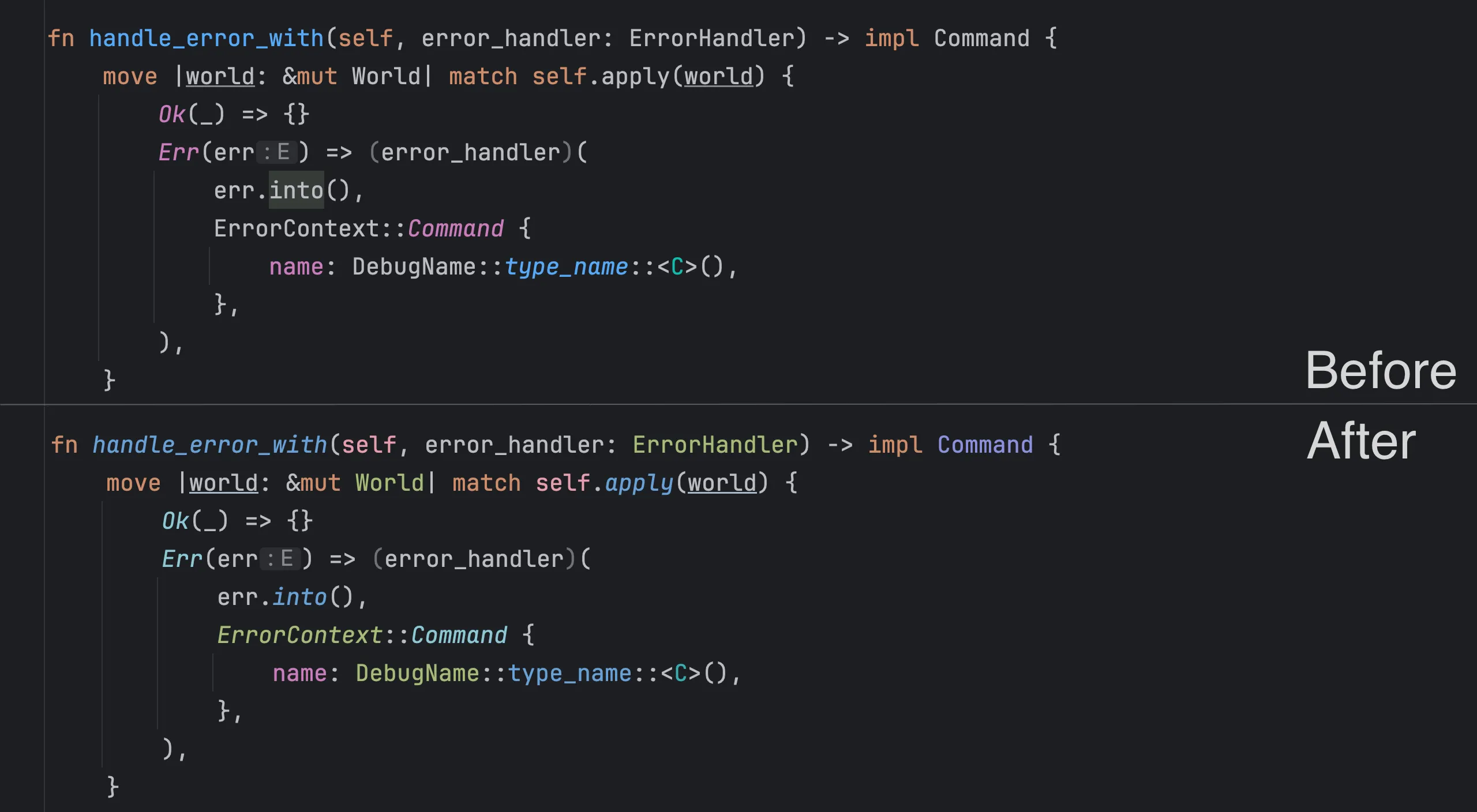
Source: RustRover 2025.2 Release Blog - JetBrains
The comparison shows the problem: the new scheme turns readable code into a rainbow mess. What used to be clean and focused is now cluttered with unnecessary colors that make it harder to actually read the code.
The Solution
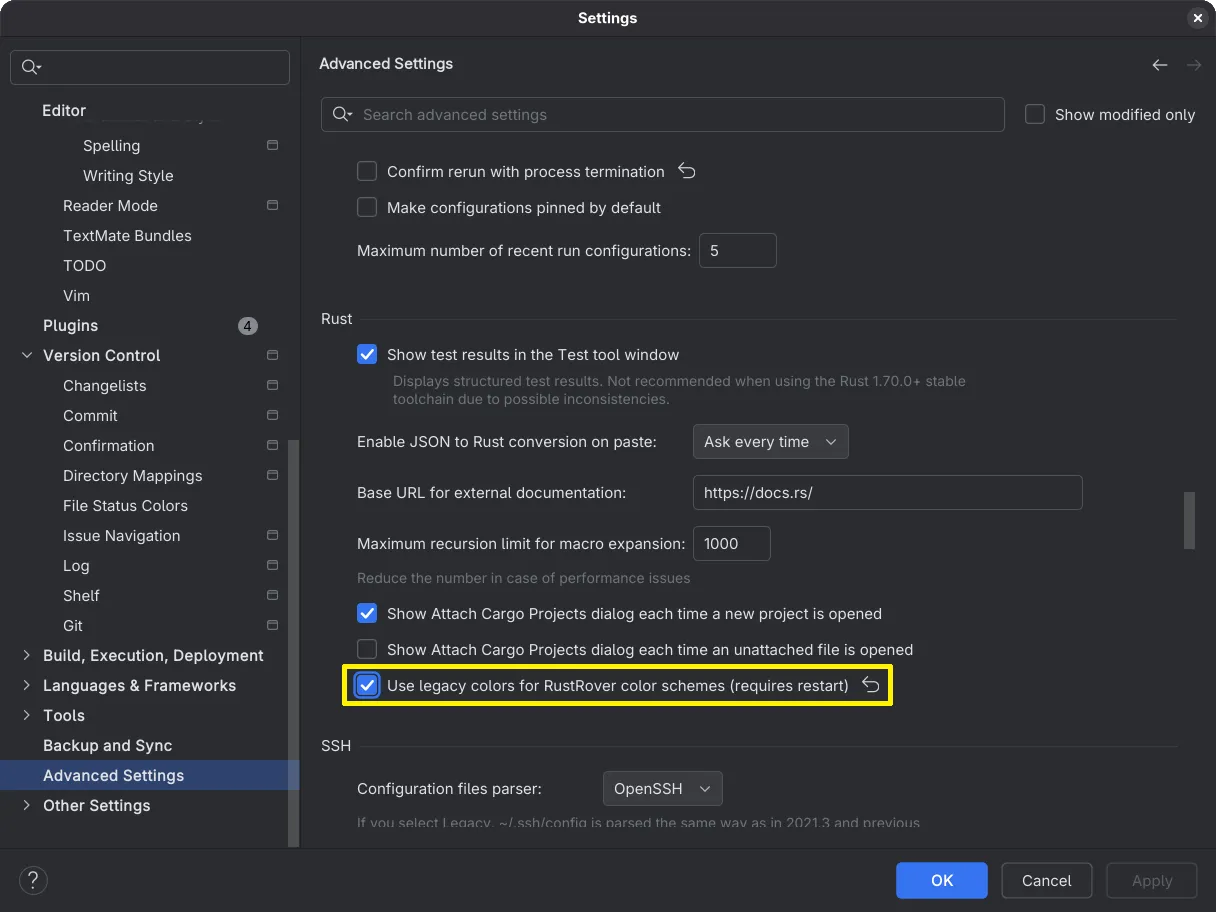
Fortunately, there’s a simple fix that allows you to revert to the legacy color scheme behavior:
- Open RustRover
- Go to File → Settings (or RustRover → Preferences on macOS)
- In the left sidebar, navigate to Advanced Settings
- Look for the Rust section
- Enable the option: “Use legacy colors for RustRover color schemes”
Conclusion
That’s it! One checkbox and your eyes can finally relax again. The old color scheme wasn’t perfect, but at least it didn’t feel like coding inside a neon sign.
Hopefully JetBrains will eventually find a middle ground between “boring beige” and “rainbow explosion” - but until then, this setting saves your sanity.